Artificial intelligence has quickly become a useful part of everyday digital work. Students use AI to understand difficult subjects, bloggers use it for research and content planning, and small businesses use AI for writing, design, marketing, customer support and productivity.
The good news is that you do not always need an expensive subscription to start using AI. Several popular AI platforms offer free access, although free plans can have usage limits or fewer features than paid plans.
In this guide, we will explore some of the best free AI tools in 2026, what they are useful for, who should use them, and how beginners can get started.
Important: AI tools and their features, models, usage limits and pricing can change over time. Always check the official website before relying on a specific feature or free-plan limit.
What Are AI Tools
AI tools are software applications that use artificial intelligence to help users complete tasks that traditionally require human effort.
Depending on the tool, AI can help with:
- Writing
- Research
- Summarizing information
- Learning
- Coding
- Creating images
- Editing videos
- Creating presentations
- Brainstorming ideas
- Data analysis
- Marketing
- Productivity
- Business tasks
Instead of performing every task manually, users can give an AI tool instructions using natural language.
For example, a student can ask an AI tool to explain a difficult mathematical concept in simple language. A blogger can ask it to generate article ideas, while a small business owner can use AI to create a first draft of a social media post.
However, AI-generated information should always be reviewed before publication or important decision-making because AI can make mistakes.
Why Should You Use Free AI Tools
Free AI tools can be particularly useful for beginners because you can experiment without immediately paying for a subscription.
1. Save Time
AI can help automate repetitive tasks such as creating first drafts, summarizing long information or generating ideas.
2. Improve Productivity
Instead of starting every task from a blank page, you can use AI to create an initial structure that you can then review and improve.
3. Learn New Skills
Students and beginners can use AI as an additional learning assistant. It can explain concepts in different ways and provide examples.
4. Create Content
Bloggers and content creators can use AI for brainstorming, outlines, editing and creative ideas.
5. Help Small Businesses
Small businesses can use AI for marketing ideas, customer communication, presentations, research and other routine work.
1. ChatGPT
Best for: Writing, learning, brainstorming, research, coding and everyday productivity
ChatGPT is a general-purpose AI assistant that can help users with a wide variety of tasks.
The free version currently provides access to several capabilities, including web search, file and image uploads, data analysis, image creation and GPTs, although usage limits apply and can change over time.
What Can You Do With ChatGPT
You can use ChatGPT to:
- Write and improve content
- Explain difficult topics
- Generate ideas
- Create study notes
- Summarize information
- Analyze files
- Help with coding
- Create outlines
- Brainstorm business ideas
- Prepare interview questions
- Create social media content
ChatGPT for Students
Students can use ChatGPT as a learning assistant.
For example, instead of simply asking:
“Explain photosynthesis.”
you could ask:
“Explain photosynthesis in simple language for a Class 10 student and give me a real-life example.”
A detailed prompt usually gives you a more useful response.
ChatGPT for Bloggers
Bloggers can use ChatGPT for:
- Topic research
- Article outlines
- Headline ideas
- FAQ generation
- Content editing
- Meta description drafts
- Social media ideas
However, bloggers should not simply publish AI-generated content without checking facts, adding original information and editing the article for their audience.
ChatGPT for Small Businesses
A small business owner can use ChatGPT to create:
- Product descriptions
- Email drafts
- Marketing ideas
- Customer response templates
- Business plans
- Social media calendars
- Meeting summaries
Best feature: Its versatility.
Best for: People who want one AI assistant for many different tasks.
2. Google Gemini
Best for: Learning, brainstorming, writing, planning and working with Google’s AI ecosystem
Gemini is Google’s AI assistant. Google describes Gemini as a personal AI assistant that can help with learning, planning, writing and other everyday tasks.
Google continues to update Gemini frequently. Its 2026 release notes show improvements involving reasoning, web research, images, video, desktop experiences and agent-style capabilities, with availability depending on the plan, device and region.
What Can You Use Gemini For
Gemini can be useful for:
- Learning new subjects
- Brainstorming
- Writing
- Summarizing information
- Planning projects
- Understanding images
- Generating ideas
- Research assistance
Gemini for Students
A student could ask Gemini:
“Explain this chapter in simple language and create 10 practice questions.”
It can also help organize study material into topics, questions and revision points.
Remember that AI should support learning rather than replace it. Students should understand the material themselves instead of submitting AI-generated answers as their own work.
Gemini for Bloggers
Bloggers can use Gemini for:
- Content ideas
- Article outlines
- Research assistance
- Headline brainstorming
- Content rewriting
- Summaries
Because online information can change, important facts should be verified using reliable sources before publishing.
Gemini for Businesses
Small businesses can use AI assistants like Gemini for:
- Drafting emails
- Brainstorming marketing campaigns
- Creating business ideas
- Preparing documents
- Summarizing information
- Planning tasks
Best feature: Useful general-purpose AI assistance with Google’s broader ecosystem.
3. Claude
Best for: Writing, analysis, coding, long-form thinking and professional work
Claude is an AI assistant developed by Anthropic.
Claude has a free plan, while paid plans provide higher usage capacity and additional features. Anthropic’s current plan information lists the Free plan at $0 with limited usage.
Claude has also continued expanding into professional, creative and technical workflows. Anthropic has introduced features and products around coding, creative work, research and business use.
Claude for Writers
Claude can be useful when you need help with:
- Drafting articles
- Rewriting text
- Editing
- Brainstorming
- Summarizing
- Organizing long documents
For bloggers, one useful approach is to provide your own notes and ask Claude to organize them into a clear article structure.
Claude for Students
Students can use Claude to:
- Understand difficult concepts
- Summarize notes
- Create study questions
- Brainstorm project ideas
- Improve writing
Claude for Coding
Claude is also used for software development and coding-related tasks. Anthropic has continued expanding Claude’s coding and agent capabilities in 2026.
A beginner can ask it to explain code line by line, while developers can use it for debugging, code generation and understanding existing code.
Claude for Businesses
Businesses can use Claude for:
- Document analysis
- Writing
- Research
- Brainstorming
- Internal workflows
- Coding
- Professional communication
Best feature: Strong usefulness for detailed writing, analysis and professional tasks.
4. Perplexity
Best for: AI-powered web research and finding information with sources
Perplexity is different from a traditional chatbot because it is designed around AI-powered search and research.
According to Perplexity’s official documentation, it searches the web in real time and provides conversational answers backed by citations and links to sources.
This makes it particularly useful when you want to research a topic rather than simply generate text.
How Perplexity Works
You ask a question.
Perplexity searches relevant web sources, analyzes the information and presents an answer with citations that you can check.
For example, instead of asking:
“What are AI tools?”
you could ask:
“What are the most useful AI tools for small businesses in 2026? Compare their main features and provide sources.”
The ability to inspect sources is particularly useful for research.
Perplexity for Students
Students can use it to:
- Research topics
- Find sources
- Understand current information
- Compare subjects
- Explore academic topics
Perplexity for Bloggers
For bloggers, Perplexity can be useful during the research stage.
You can use it to:
- Find current information
- Discover sources
- Compare products or services
- Research statistics
- Find different viewpoints
- Identify questions people ask
Always open and verify the original sources before publishing important claims.
Perplexity for Businesses
Businesses can use AI search tools for:
- Market research
- Competitor research
- Industry research
- Product research
- Finding current information
Perplexity also offers advanced search and research features, with availability depending on the account and plan.
Best feature: Research with web sources and citations.
5. Canva
Best for: AI-powered design, social media graphics, presentations, images and visual content
Canva is best known as a design platform, but it has built a large collection of AI-powered features.
Its AI ecosystem includes tools for generating and editing designs, writing, images, videos and other visual content. Canva’s current AI offerings include products such as Canva AI, Magic Studio and Canva Code.
Canva for Bloggers
Bloggers can use Canva to create:
- Featured images
- Blog graphics
- Pinterest graphics
- Social media posts
- Infographics
- YouTube thumbnails
- Presentations
This is especially useful for websites because good visual content can make an article more attractive and easier to understand.
Canva for Students
Students can use Canva to create:
- Presentations
- Project covers
- Infographics
- Posters
- Study materials
- Visual reports
Canva for Small Businesses
Small businesses can use Canva for:
- Social media posts
- Posters
- Advertisements
- Presentations
- Business documents
- Marketing graphics
Canva’s AI features can help users generate designs and speed up creative work without requiring advanced graphic-design skills.
Important Note About AI-Generated Content
AI-generated content should not automatically be considered accurate or ready for publication. Canva itself notes that AI outputs may contain errors and that users remain responsible for the content they publish.
Best feature: Creating professional-looking visual content without advanced design skills.
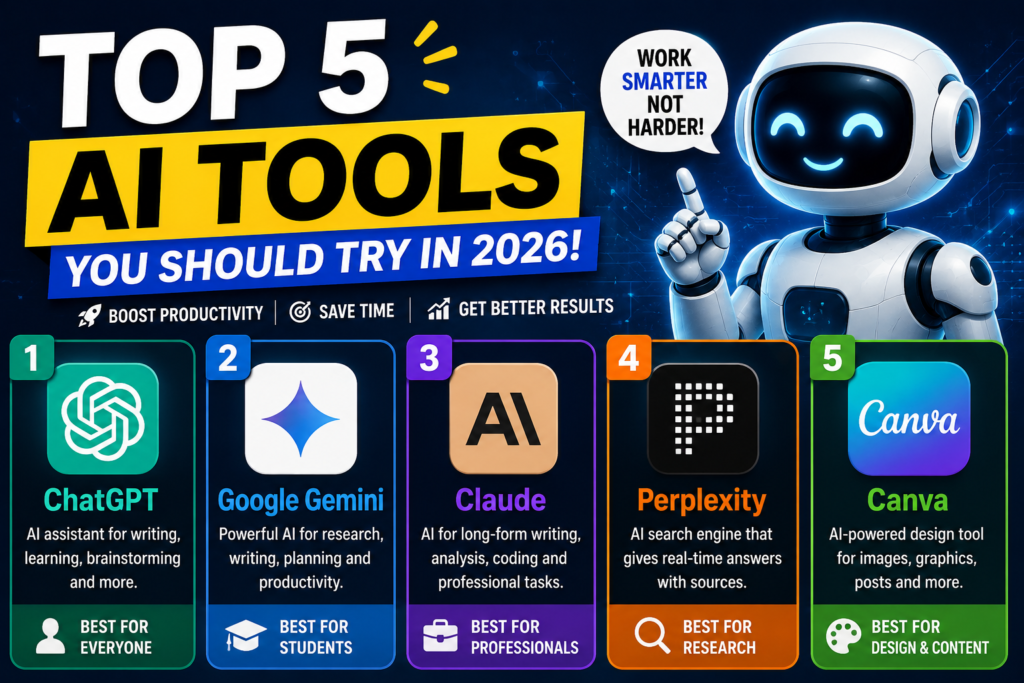
Quick Comparison of the First 5 AI Tools
| AI Tool | Best For | Beginner Friendly | Main Use |
|---|---|---|---|
| ChatGPT | General AI assistance | Yes | Writing, learning, coding |
| Gemini | Learning & productivity | Yes | Research, writing, planning |
| Claude | Writing & analysis | Yes | Documents, coding, analysis |
| Perplexity | Research | Yes | Web search & sources |
| Canva | Design | Yes | Images, graphics, presentations |
Which AI Tool Should You Choose
There is no single best AI tool for everyone.
Your choice should depend on what you want to accomplish.
If you are a student:
Start with ChatGPT, Gemini or Perplexity for learning and research.
If you are a blogger:
Try ChatGPT or Claude for writing and planning, Perplexity for research, and Canva for visual content.
If you own a small business:
General-purpose AI assistants such as ChatGPT, Gemini and Claude can help with writing, planning and productivity, while Canva can help with marketing designs.
If you need research:
Perplexity is particularly useful because its answers are designed around web search and source citations.
If you need visual content:
Canva is a strong option for graphics, presentations and AI-assisted design.
Important Tips Before Using AI Tools
AI can save time, but it should not replace human judgment.
Before using AI-generated information:
- Check important facts.
- Verify statistics and dates.
- Read the original sources.
- Don’t upload sensitive personal information unnecessarily.
- Review AI-generated content before publishing.
- Add your own experience and expertise.
- Follow the terms and policies of the AI service.
F&Q
What are the best free AI tools in 2026
The best tool depends on your purpose. ChatGPT, Gemini, Claude, Perplexity, Canva and Grammarly are useful starting points for different tasks.
What is the best AI tool for students
Students can use ChatGPT, Gemini, Perplexity, Grammarly and Canva for learning, research, writing and presentations
What is the best AI tool for bloggers
Bloggers can combine ChatGPT or Claude for content planning, Perplexity for research, Grammarly for editing and Canva for visual content.
Are free AI tools safe
Safety depends on the individual service and how you use it. Avoid sharing unnecessary sensitive information and review the service’s current privacy practices.
Can AI tools help small businesses
Yes. AI can help small businesses with marketing, writing, research, design, productivity and customer communication.